
Hookline Navigator
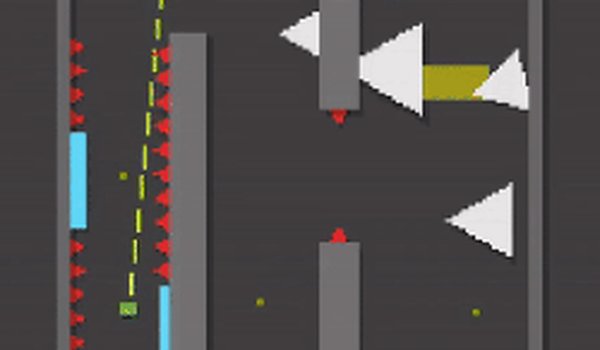
A mouse-driven game where players swing using a single hook tool. Navigate through compact pixel stages by planning each move carefully. The focus stays on precise timing and steady control rather than speed.
Reviews
About this game
Core Hook Mechanic
Hookline Navigator centers entirely on a single grappling tool. Players click to shoot a line toward a surface, then hold to pull themselves forward. Releasing the button lets go at the right moment to gain momentum. This simple action forms the basis for all movement across the game. There are no run buttons or jump commands. Every motion depends on where and when you attach the line. The mechanic feels natural after a few attempts, but each new stage asks for more precise aim.
Stage Layout Philosophy
Each level presents a compact puzzle-like space filled with obstacles and a clear exit point. The design encourages players to study the environment before swinging. Some stages require short, controlled hops between close surfaces. Others demand long arcs across open gaps. The layout never feels random. Every platform and hazard seems placed to teach a specific timing lesson. Players who rush often miss the intended path. Taking a moment to observe the arrangement often reveals a safer route.
Visual Style and Clarity
The pixel art keeps shapes simple and colors distinct. Backgrounds stay muted so interactive objects stand out clearly. Hazards use bright warning colors that are easy to spot even during fast swings. The character sprite is small but readable. This minimal approach helps players focus on the hook targeting without visual clutter. The retro aesthetic fits the straightforward gameplay. Nothing distracts from the core task of planning and executing each swing.
Progression and Challenge Curve
The game offers a set of handcrafted stages that grow more complex as players advance. Early levels introduce basic hooking and simple gaps. Later stages combine multiple hazards and require tighter timing. An additional endless mode lets players continue practicing after finishing the main set. This mode generates a continuous stream of challenges for those who want to refine their technique. The difficulty ramps up steadily, giving players time to build confidence with each new obstacle type.
Hazards and Interactive Objects
Several hazard types appear throughout the stages. Each one demands a different avoidance strategy. Some hazards move in predictable patterns, while others react to the player's position. Interactive objects can be used to extend the reach of the hook or change the direction of a swing. Learning how each object works is part of the puzzle. The game does not explain these elements directly. Players discover their properties through experimentation and observation.



Comments
0 comments