
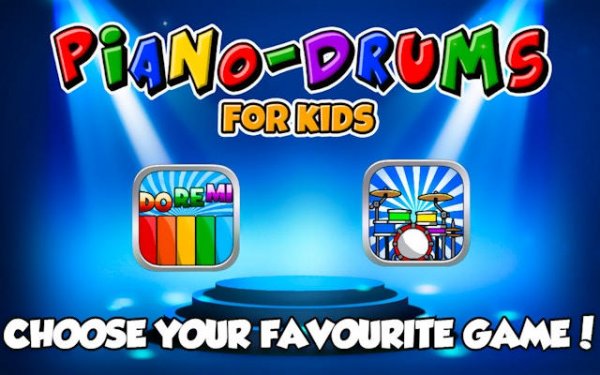
Toddler Sound Studio Piano & Percussion
Toddler Sound Studio Piano & Percussion turns a tablet into a playful instrument set. Young children tap bright keys or drums to hear notes and beats, with no rules or timers. It supports fine motor skills and auditory curiosity in a completely ad-free space.
Reviews
About this game
Instrument Modes for Little Hands
The app presents two distinct play areas: a piano board with oversized, colorful keys and a percussion setup with drums and cymbals. Each key or drum surface responds immediately with a clear, pleasant sound. The interface uses large touch targets so small fingers can tap accurately without frustration. Children can switch between the piano and drum sets at any moment, keeping the experience fresh. This design encourages repeated interaction and helps develop hand-eye coordination through cause-and-effect play.
Open-Ended Sound Exploration
There are no objectives, scores, or time limits. A child can tap a single key repeatedly, slide a finger across multiple keys, or drum a fast rhythm. The app rewards any interaction with sound, so every tap feels meaningful. This unstructured approach lets children discover pitch, tempo, and rhythm naturally. Parents often observe their child creating simple patterns or imitating songs heard elsewhere. The absence of failure or pressure builds confidence and a positive association with music.
Safe and Distraction-Free Environment
The application contains no advertisements, no in-app purchases, and no external links. It does not collect any personal data from users. Once the app opens, children interact only with the instrument screens. This design allows parents to hand the device to their child without worry about accidental clicks or inappropriate content. The focus remains entirely on musical play and sensory learning.
Fine Motor Skill Development
Tapping individual keys or drums requires precise finger movements. Over time, repeated use can strengthen the small muscles in a child's hands and fingers. Switching between the two instrument modes also encourages bilateral coordination. The app provides a gentle, enjoyable way to practice these physical skills without the child even realizing they are learning. Parents may notice improved dexterity that carries over to other activities like drawing or using utensils.
Getting Started with Your Child
No setup or instructions are needed. Open the app and let your child choose which instrument to play first. Sit beside them during early sessions to model tapping and listening. Point out the different sounds each key makes. As they grow comfortable, step back and let them explore alone. Short, regular sessions of five to ten minutes work well for maintaining interest. Celebrate any sounds they produce to reinforce their sense of accomplishment.

Comments
0 comments