
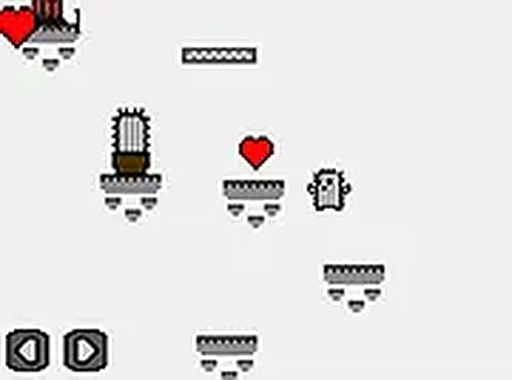
Cactus Quest Platformer
Guide a cactus character through colorful pixel art levels in this free browser-based platformer. Run, jump, and find the exit to progress through increasingly challenging stages.
Reviews
About this game
Game Introduction
Cactus Quest Platformer is a free browser-based game where players guide a cactus character through a series of levels. The game features pixel art graphics that create a nostalgic, retro feel. The core objective is to navigate each stage by running and jumping across platforms, avoiding obstacles, and reaching the exit to advance. The game is designed for players of all ages, with simple controls that make it easy to start playing. It runs directly in the browser on both desktop and mobile devices, with no downloads or installations required. The pixel art style gives the game a charming, classic aesthetic that appeals to fans of traditional platformers. The adventure unfolds as players explore each level, discovering new layouts and challenges. The game offers a full-screen mode for a more immersive experience. Its straightforward premise and family-friendly content make it suitable for casual gaming sessions.
How to Play
Players typically control the cactus character using keyboard arrow keys or on-screen touch controls. The main actions involve running across platforms, jumping over gaps or obstacles, and reaching the level exit to advance. Some levels may include characters that can be overcome by jumping on them or using special moves. The game provides a gradual increase in difficulty, introducing more complex platform arrangements and obstacles as players progress. It is designed for instant play in any modern web browser, with no additional software needed. The controls are responsive and intuitive, allowing players to focus on timing and precision. The game can be played on desktop computers or mobile devices, and switching to full-screen mode enhances the visual experience. Each level presents a new layout that requires careful observation and quick reflexes to complete.
Game Features
The game features a pixel art visual style that gives it a classic, retro appearance. It is free to play, with no cost to access the entire game. Full-screen support allows players to enjoy the adventure without distractions. The game runs directly in the browser on both desktop and mobile devices, with no downloads required. Simple controls make it accessible for players of all ages and skill levels. The levels are designed with increasing difficulty to provide a satisfying challenge. The cactus character adds a unique cultural theme to the platformer genre. The game is family-friendly and suitable for casual play.
Tips for Success
Practice timing your jumps to navigate platforms and avoid obstacles. Learn each level's layout to find the exit more efficiently. Use the environment, such as platforms, to your advantage. Stay patient and focus on precision as the difficulty increases. Regular play helps improve your control and speed.








Comments
0 comments