Game Introduction
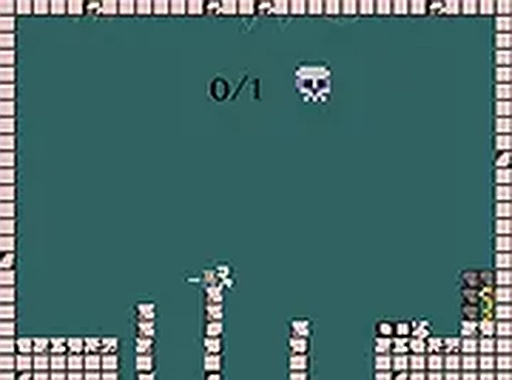
Knight Puzzle Quest is a browser-based puzzle adventure game where players take on the role of a knight on a quest. The core objective is to explore each level, locate a hidden key, and bring it to the exit to progress to the next stage. This game emphasizes lighthearted puzzle-solving and exploration, making it suitable for players of all ages. It is designed specifically for desktop play, offering a smooth experience with keyboard or mouse controls. The game is free to play with no downloads required, and it supports full screen mode for an immersive experience. The game focuses on simple yet engaging challenges that encourage careful observation and planning. Each level presents a unique layout with obstacles and paths that require thoughtful navigation. The game does not include any mature themes, making it a safe choice for families and younger players. The overall design is clean and straightforward, ensuring that players can quickly understand the mechanics and start enjoying the puzzles. The game is built to be accessible, with no complex rules or steep learning curves, allowing anyone to pick it up and play. The combination of exploration and puzzle-solving creates a rewarding experience that keeps players engaged as they progress through increasingly interesting levels.
How to Play
To play Knight Puzzle Quest, use your keyboard or mouse to guide the knight through each level. Your main goal is to find the key hidden somewhere in the level and then carry it to the designated exit point. Move carefully to avoid obstacles and plan your path to reach the exit successfully. The gameplay is straightforward: start by exploring the level, pick up the key, and then head to the next area. The game is designed for desktop computers, so ensure you are playing on a suitable device for the best experience. The controls are intuitive, allowing players to focus on solving the puzzles rather than struggling with complex inputs. As you progress, levels may introduce new arrangements and obstacles that require more thoughtful planning. The key is always hidden somewhere in the level, so thorough exploration is essential. Once you have the key, you must navigate to the exit without losing it. The game provides clear feedback on your progress, making it easy to know when you have succeeded or need to try again.
Game Features
Knight Puzzle Quest offers a free browser-based experience with no downloads required. It is designed exclusively for desktop play, providing keyboard and mouse controls. The game supports full screen mode for an immersive experience. It is family-friendly, avoiding any mature themes, and focuses on lighthearted puzzle-solving and exploration. The game includes multiple levels, each with a key to find and an exit to reach, offering a simple yet engaging challenge. The levels are designed to be progressively interesting, encouraging players to think creatively. The game is optimized for smooth performance in standard web browsers, ensuring a consistent experience. There are no in-game purchases or advertisements that disrupt gameplay, making it a pure puzzle experience. The visual style is clean and appealing, with clear indicators for the key, exit, and obstacles. The game also allows players to restart a level quickly if they get stuck, promoting a trial-and-error approach to learning.
Tips for Success
Take your time to explore each level thoroughly before moving. Look for the key in hidden corners or behind obstacles. Plan your route to the exit after picking up the key to avoid backtracking. Practice moving the knight carefully to avoid getting stuck. If you get stuck, try a different approach or look for patterns in the level design. Regular practice will help you improve your puzzle-solving skills and complete levels more efficiently. Remember that patience and observation are your best tools.
✅ Compatibility & Testing
• Desktop (Windows 11, macOS Ventura)
• Mobile (iPhone 14, Samsung Galaxy S23)
• Tablet (iPad Pro, Android tablet)
✅Supported browsers: Chrome, Safari, Edge, Firefox (latest versions)
❌ Not supported: Internet Explorer, older browser versions
 SnakeRobot Hub