Game Introduction
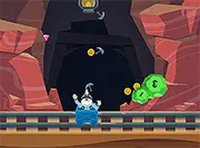
Cave Gem Mining Quest is an online arcade game where players guide a mining cart through underground caves. The core objective is to clear rocks and collect all treasures, including gold coins and gems, in each level. As players progress, they can upgrade their cart to become more effective at mining. The game increases in difficulty, requiring careful planning for each move. It is suitable for players of all ages and runs directly in a web browser at no cost. The experience is designed to be engaging without relying on any violent or inappropriate themes, focusing instead on strategy and collection.
How to Play
To play Cave Gem Mining Quest, players use their mouse to click and drag their character through the tunnels. This control method requires careful planning because it is not easy to return to areas that were missed. The main task is to clear all rocks to earn gold and gems. Collecting these items allows players to upgrade their cart and improve its mining capabilities. The game is best played in full screen mode for a more immersive experience. As players advance, levels become more challenging, so thinking ahead and making efficient moves is important.
Game Features
Game features include digging through caves, collecting gems and gold, upgrading the mining cart, increasing difficulty levels, and a full screen mode. Each new level presents a different cave layout with more rocks and treasures to find. Upgrades make the cart faster and stronger, helping players tackle harder challenges. The game is designed to be replayable, with each level offering a fresh puzzle to solve.
Tips for Success
To succeed in Cave Gem Mining Quest, plan a route before starting to move. Since backtracking is difficult, try to collect all treasures in one pass. Focus on clearing rocks that block the path first, and gather gold and gems to upgrade the cart early. Practice each level to learn the layout, and do not rush—careful moves save time in the long run. Upgrading the cart as soon as possible makes later levels much easier.
Compatibility
✅ This game supports:
- Desktop browsers (Chrome, Edge, Safari)
- Mobile browsers (Chrome on Android, Safari on iOS)
❌ Does NOT support: - Internet Explorer - Very old browser versions
👉 Try refreshing or updating your browser
 SnakeRobot Hub