
10x10 Block Puzzle Classic
Arrange falling block shapes on a 10x10 grid to complete rows and columns. Clear lines to earn points in this classic puzzle game. Play directly in your browser.
Reviews
About this game
Game Introduction
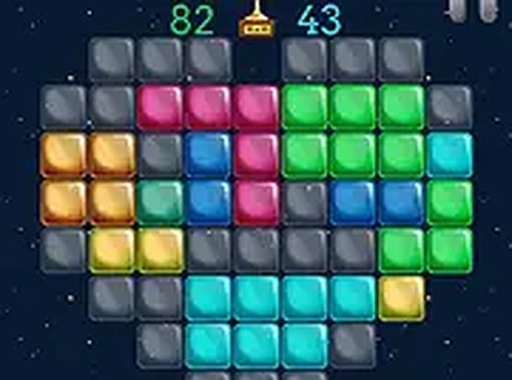
10x10 Block Puzzle Classic is a straightforward puzzle game where players place various block shapes onto a ten by ten grid. The main goal is to fill entire rows or columns from one side to the other. When a line is completed, it disappears and the player earns points. This simple yet engaging mechanic makes the game easy to understand for new players while still offering strategic depth for those who enjoy planning ahead. The game runs directly in a web browser without any need for downloads, allowing quick access from any device with an internet connection. Each session presents a new arrangement of random shapes, ensuring that no two games are exactly the same. The clean visual design and lack of time pressure make it a relaxing but mentally stimulating activity suitable for all age groups.
How to Play
Players are given a set of block shapes that must be placed onto the ten by ten grid. On a computer, shapes can be moved using a mouse by clicking and dragging. On touch devices, players can tap and drag with a finger. The objective is to fit each shape into an empty area of the grid. Once a row or column is completely filled from one border to the other, it clears away and adds to the score. After placing a shape, a new one appears. The game continues until there is no space left for the next shape. Careful positioning and forward thinking help keep the grid open for longer play sessions.
Game Features
The game offers addictive block puzzle gameplay with controls that are simple to learn. The design is clean and minimal, making it suitable for players of all ages. It works on both desktop and mobile browsers without requiring any installation. There are no time limits, allowing players to think through each move at their own pace. Because the shapes appear randomly, each game session is unique, providing high replay value. The interface is intuitive, so new players can start playing immediately without a tutorial.
Tips for Success
Plan your moves ahead to keep the grid as open as possible. Try to clear multiple lines at once for bonus points. Focus on clearing lines in the center of the grid to create more space for larger shapes. Avoid filling up one side of the grid too quickly. Practice regularly to improve your spatial reasoning and pattern recognition. Take your time since there is no time limit, and think before placing each shape.



Comments
0 comments